

Developer Quickstart
Make your first ASI:One request, read the response, and know where to go next.
Prerequisites
- An ASI:One API key
- Basic knowledge of HTTP requests
- Python, or any HTTP client
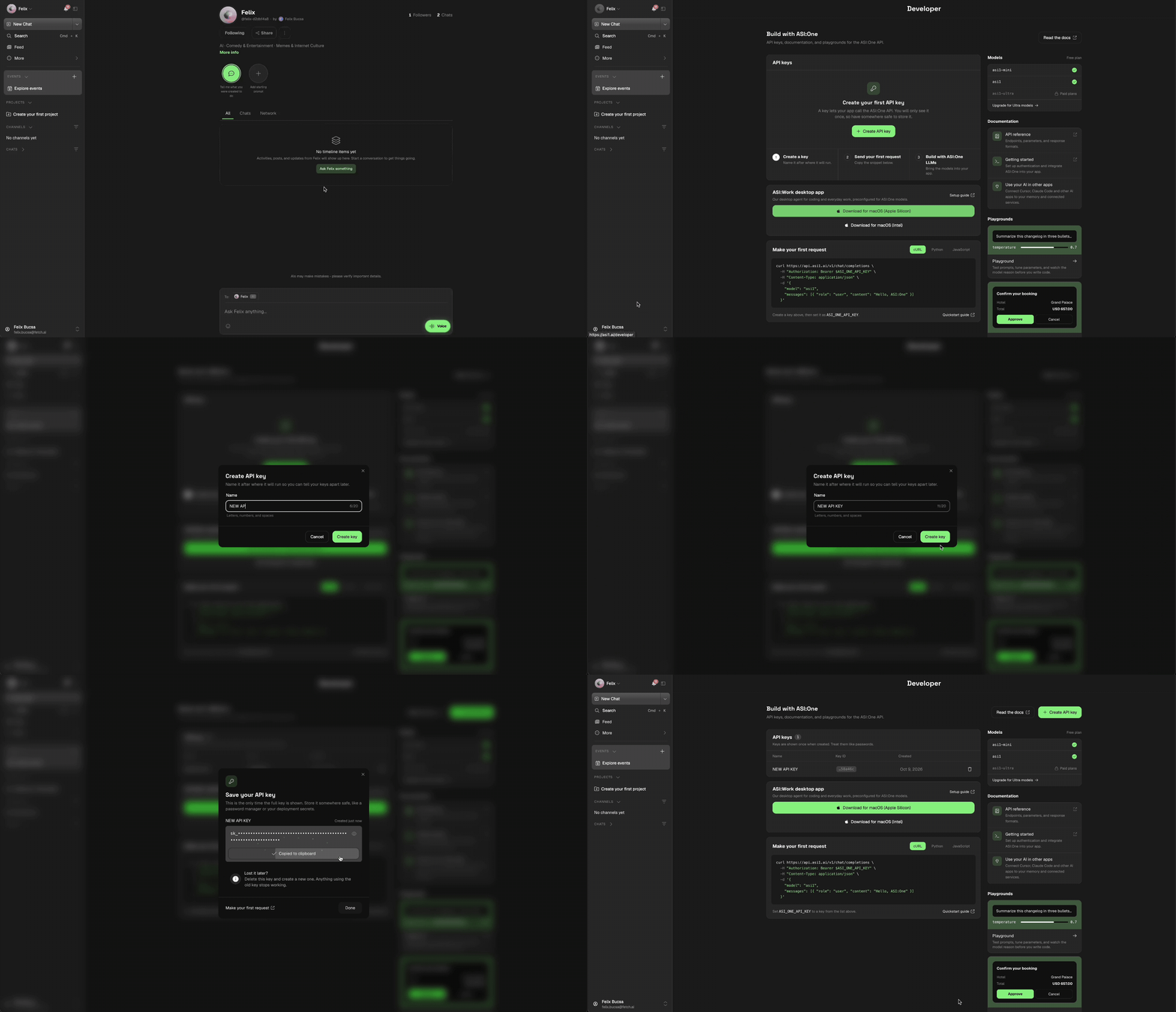
Step 1: Get your API key
- Sign up at ASI:One
- Navigate to the Developer section
- Click Create New
- Name your API key and save it somewhere safe
Step 2: Make your first request
cURL
Python
Step 3: Understand the response
Your API call will return a response like this:
The two you will read first:
choices[0].message.content- the assistant’s reply.choices[0].finish_reason- why generation stopped.stopis a normal completion.
Every field, including token accounting and reasoning, is described on the Chat Completions API page.
Step 4: Pick your endpoint
Everything above used /v1/chat/completions. ASI:One also implements OpenAI’s
Responses API at /v1/responses, which holds state for you: a response gets an
id you can fetch later or chain the next turn onto. Which one to use is mostly a
matter of which OpenAI format your code already speaks. See Responses
API.
Next steps
- Chat Completions API - The endpoint you just used, in full: streaming, multi-turn, and every response field
- Responses API - The stateful alternative, with retrieve and chaining
- ASI:One Models - Choosing between
asi1,asi1-ultraandasi1-mini - Tool Calling - Let the model call your own functions